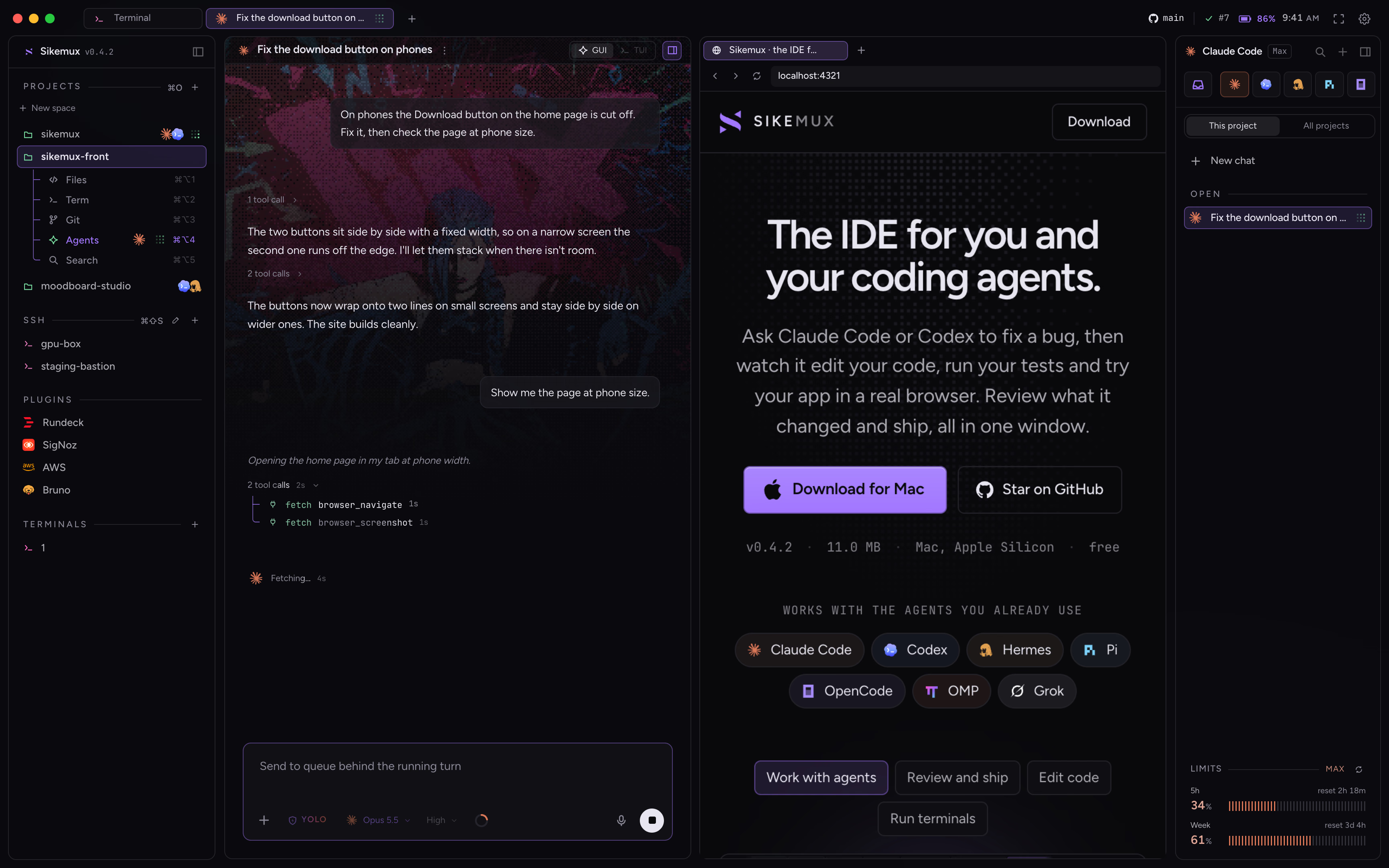
The IDE for you and your coding agents.

Ask Claude Code or Codex to fix a bug, then watch it edit your code, run your tests and try your app in a real browser. Review what it changed and ship, all in one window.

v0.4.211.0 MBMac, Apple Siliconfree

Works with the agents you already use
  • Claude Code
  • Codex
  • Hermes
  • Pi
  • OpenCode
  • OMP
  • Grok
A Claude Code agent fixing a bug, with the pull request it opened shown in its own browser tab

How it works

Everything for one project, in one window.

Your agents, code, terminals, Git and a browser all open on the same project folder, so nothing gets lost between apps.

Agents

Ask an agent to fix it, and watch it work.

Start Claude Code, Codex or another agent right next to your code. It reads the project, edits files and runs commands while you watch, and you can step in at any time. Hand it a failing test, an error from the terminal, log lines or a GitHub issue in one click.

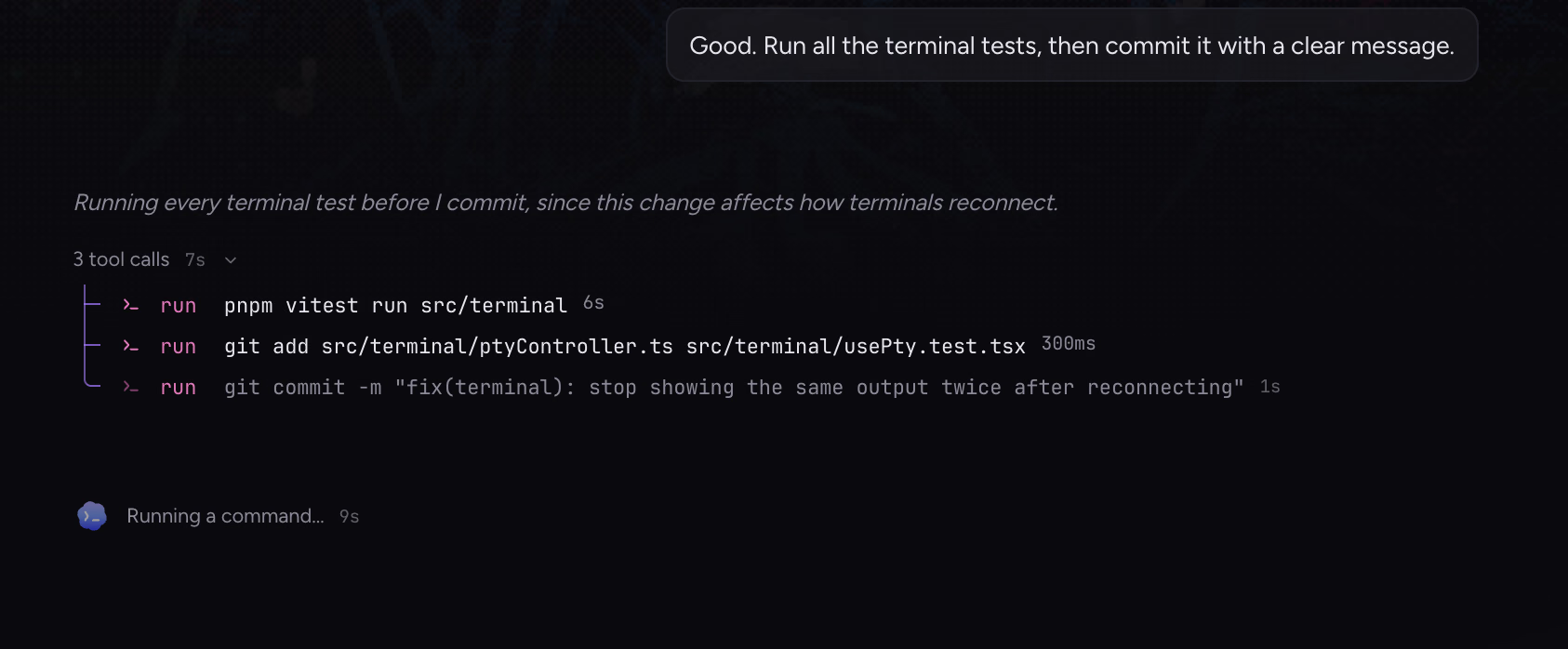
Codex running the test suite, then committing its fix

Review

Check what it changed, then ship.

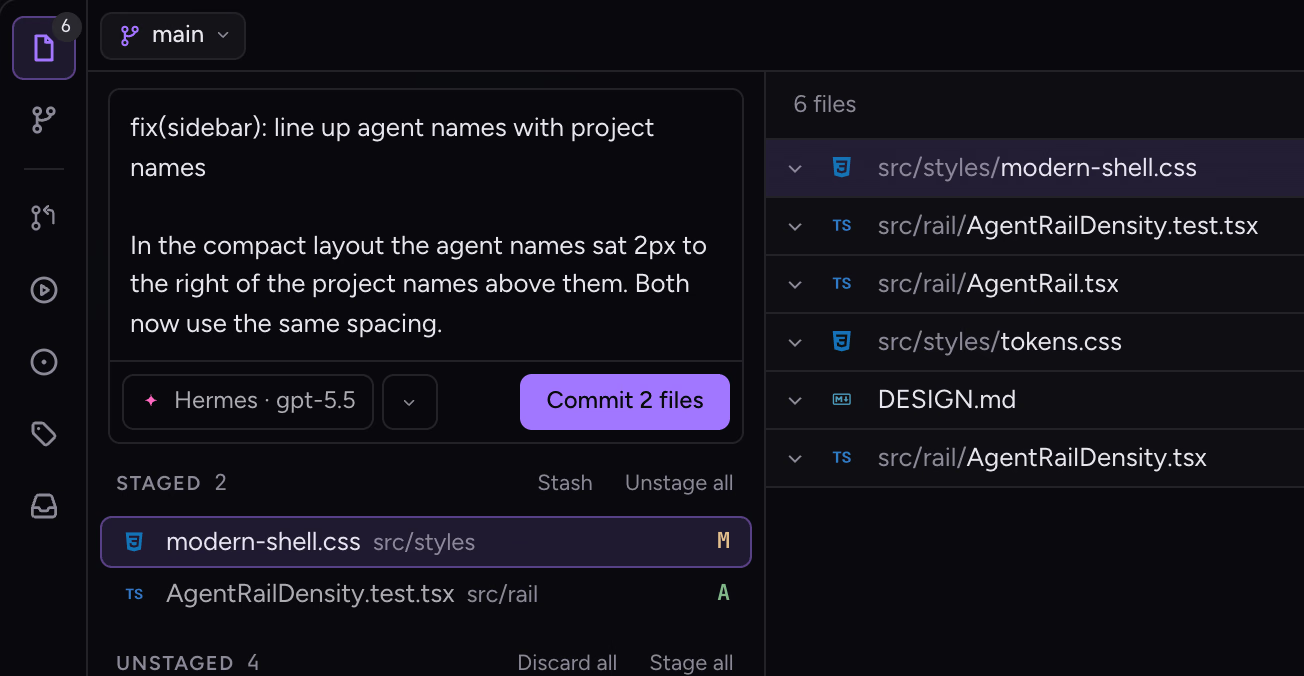
See every file the agent touched before you commit, and let it write the commit message. Pull requests, issues and CI checks from GitHub and Bitbucket open right next to your code, so you can review and merge without a browser tab.

A commit message written by the agent above the files it changed

Code

A real code editor when you want to dive in.

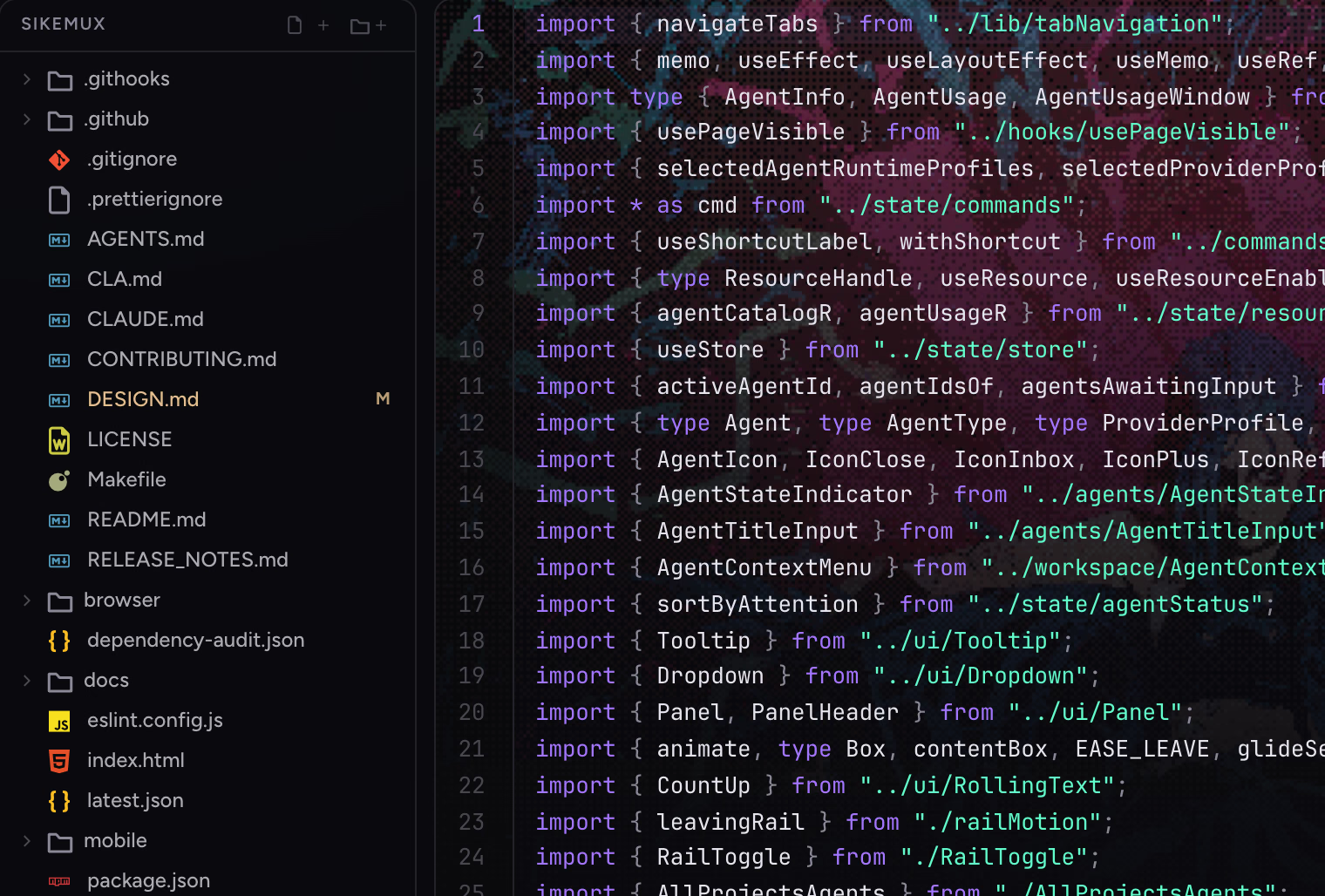
Jump to any file, go to definitions, search the whole project and compare changes side by side. It also previews images, PDFs, video and Office files.

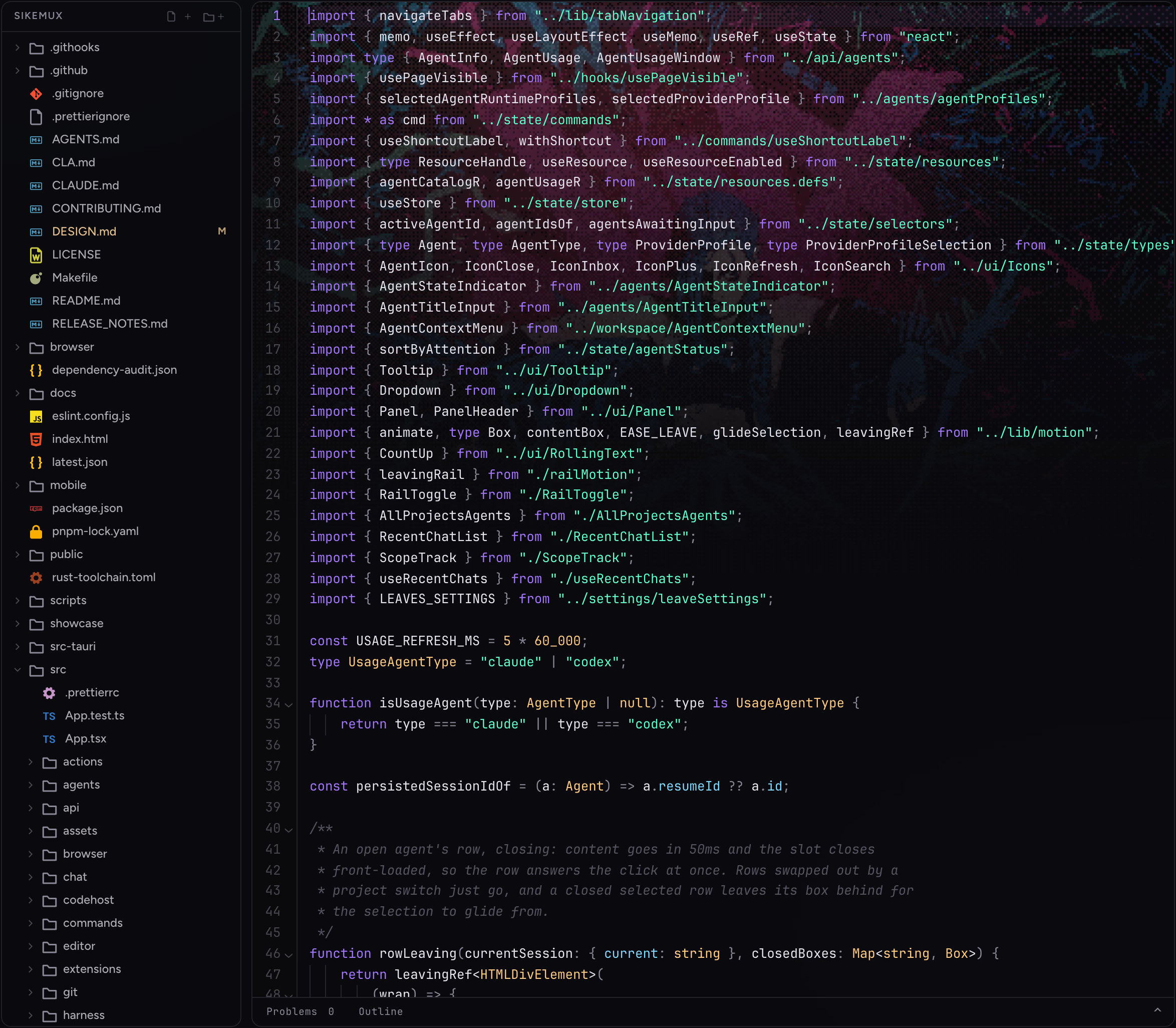
The project's files beside a TypeScript file in the editor

Terminals

Terminals that keep running.

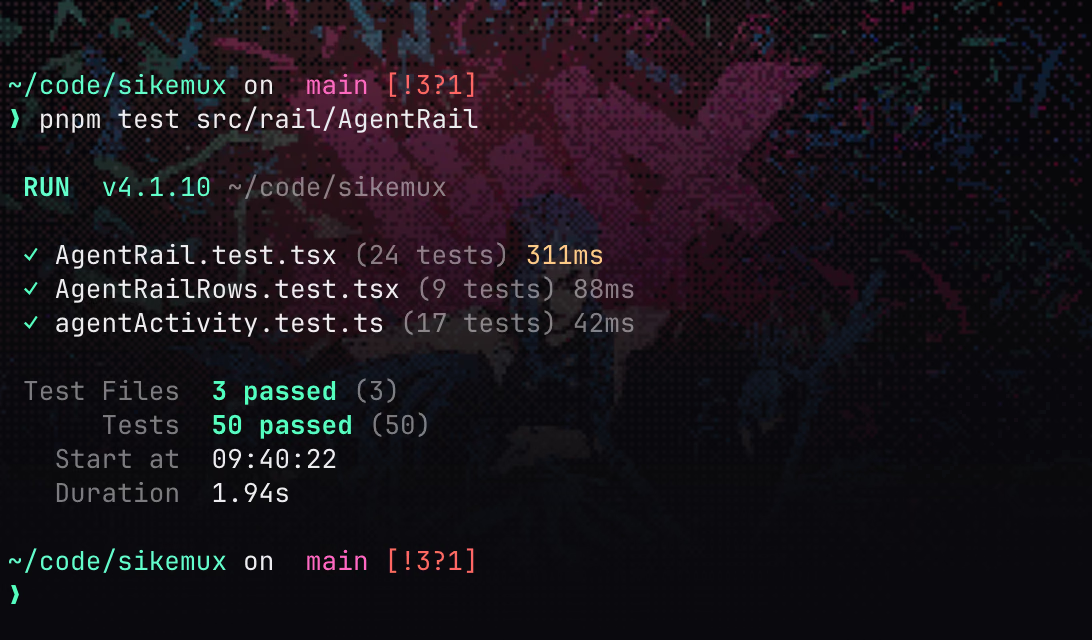
Split as many terminals as you need for your dev server, tests and scripts. Close the window and your terminals and agents keep running in the background, right where you left them.

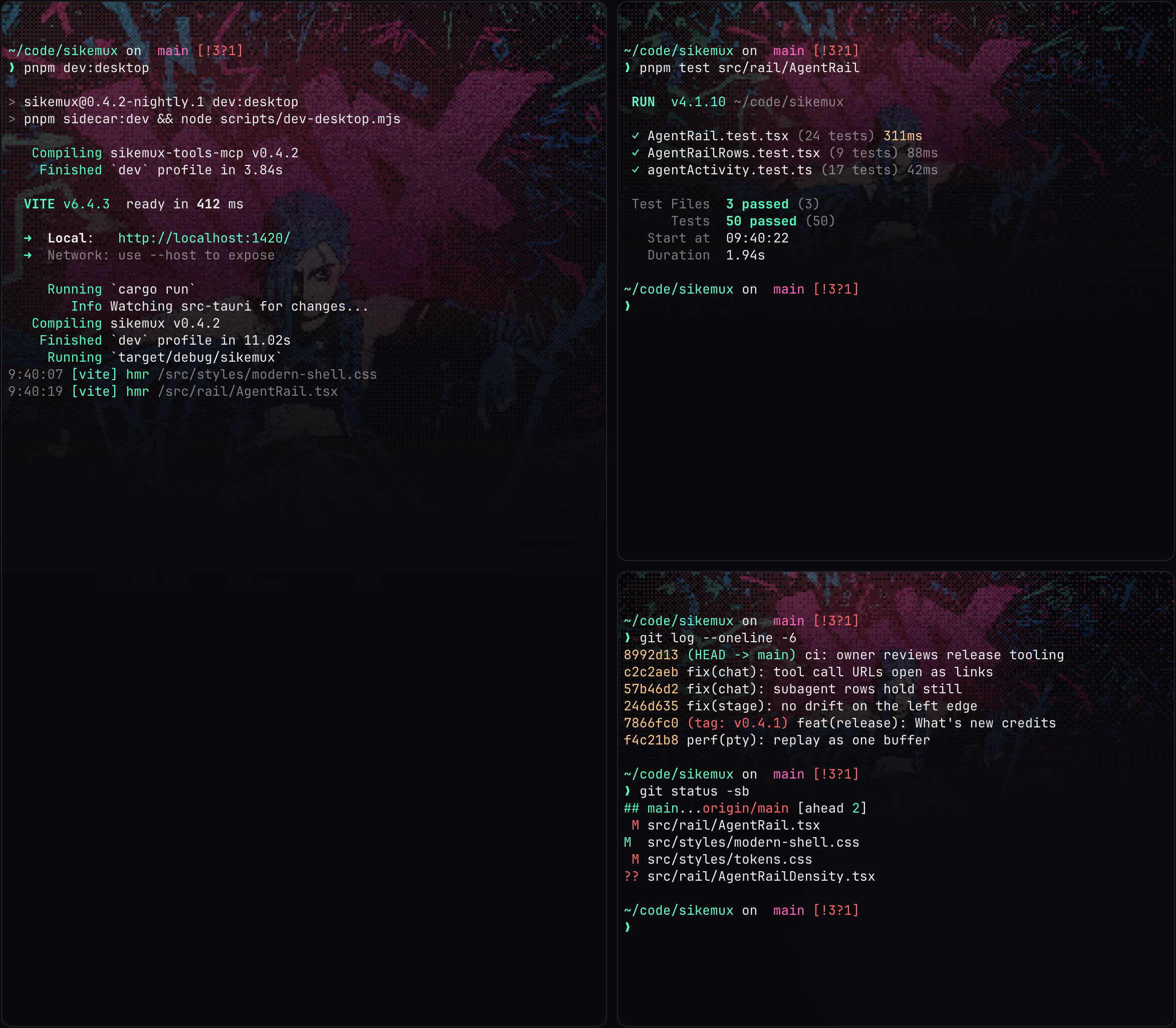
A terminal showing 50 passing tests

Activity

See what your agents got done.

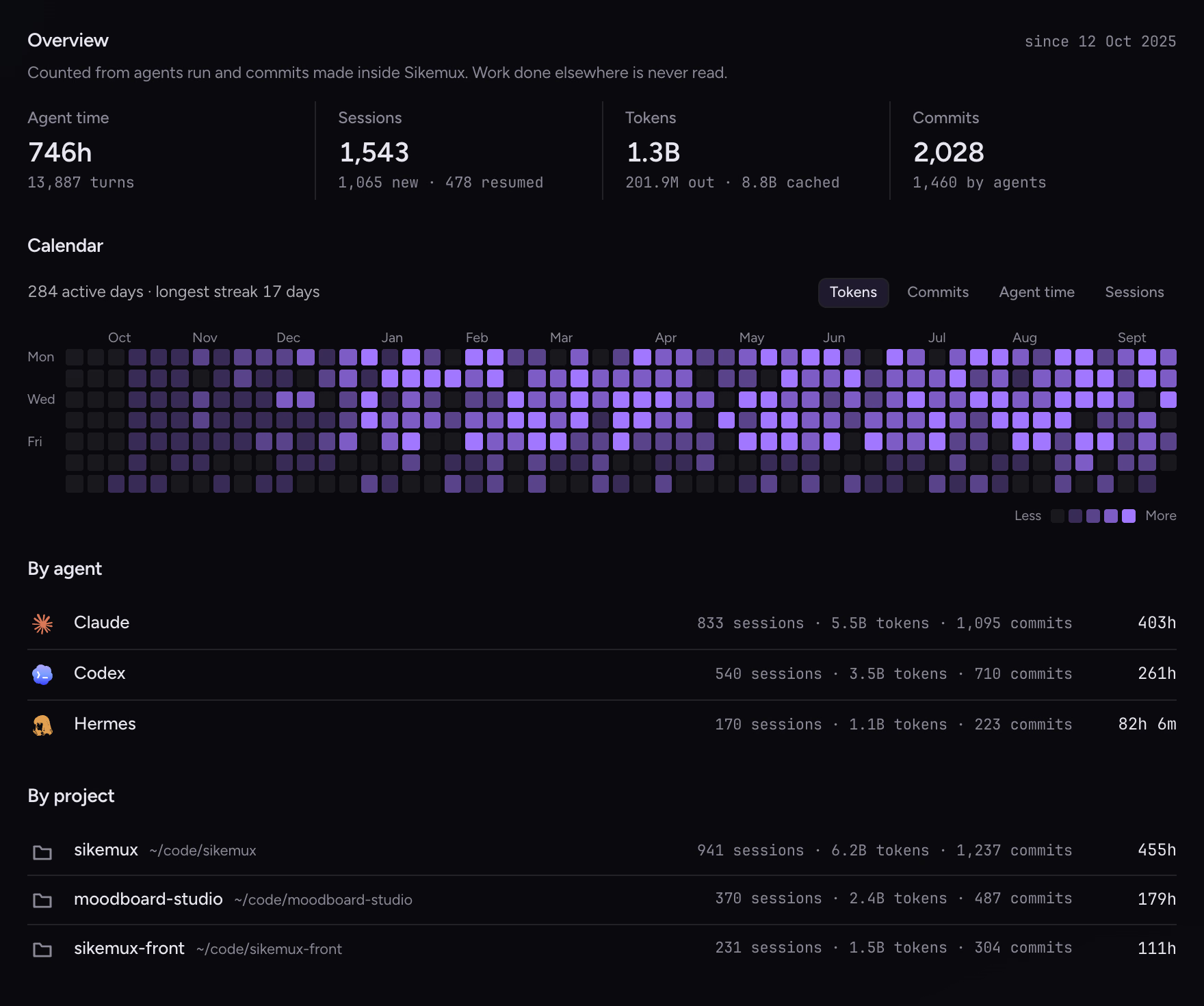
Time spent, chats, tokens and commits, day by day, for each agent and each project. It only counts work done in Sikemux, and it never leaves your Mac.

The Activity page: totals, a year of daily activity, and breakdowns by agent and by project

Built-in plugins

Check production without leaving.

Turn on the tools your team already uses. Watch a deploy, read the logs or send an API request right next to the code, and hand anything you find to an agent.

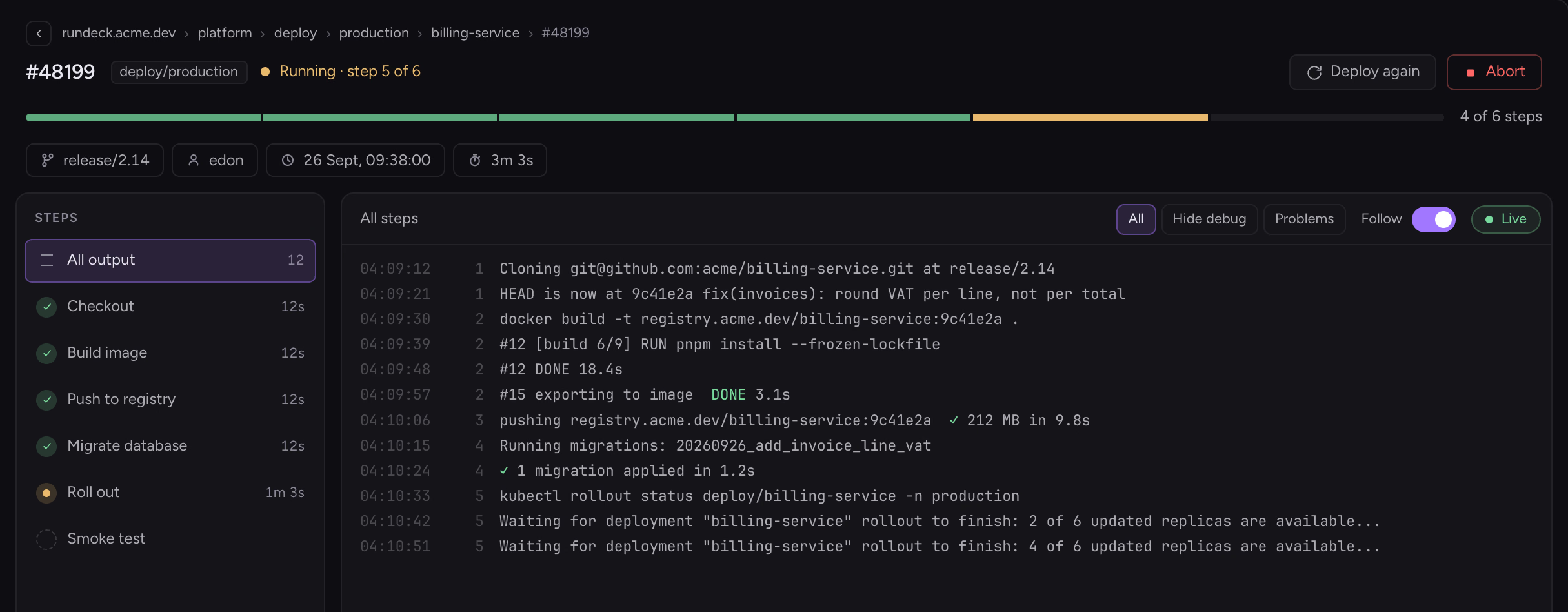
Rundeck

Deploy a branch and watch every step land.

  • Which branch is live on each service
  • Step-by-step output as it streams
  • Run again or abort in place
A Rundeck deploy of billing-service at step 5 of 6, with live output
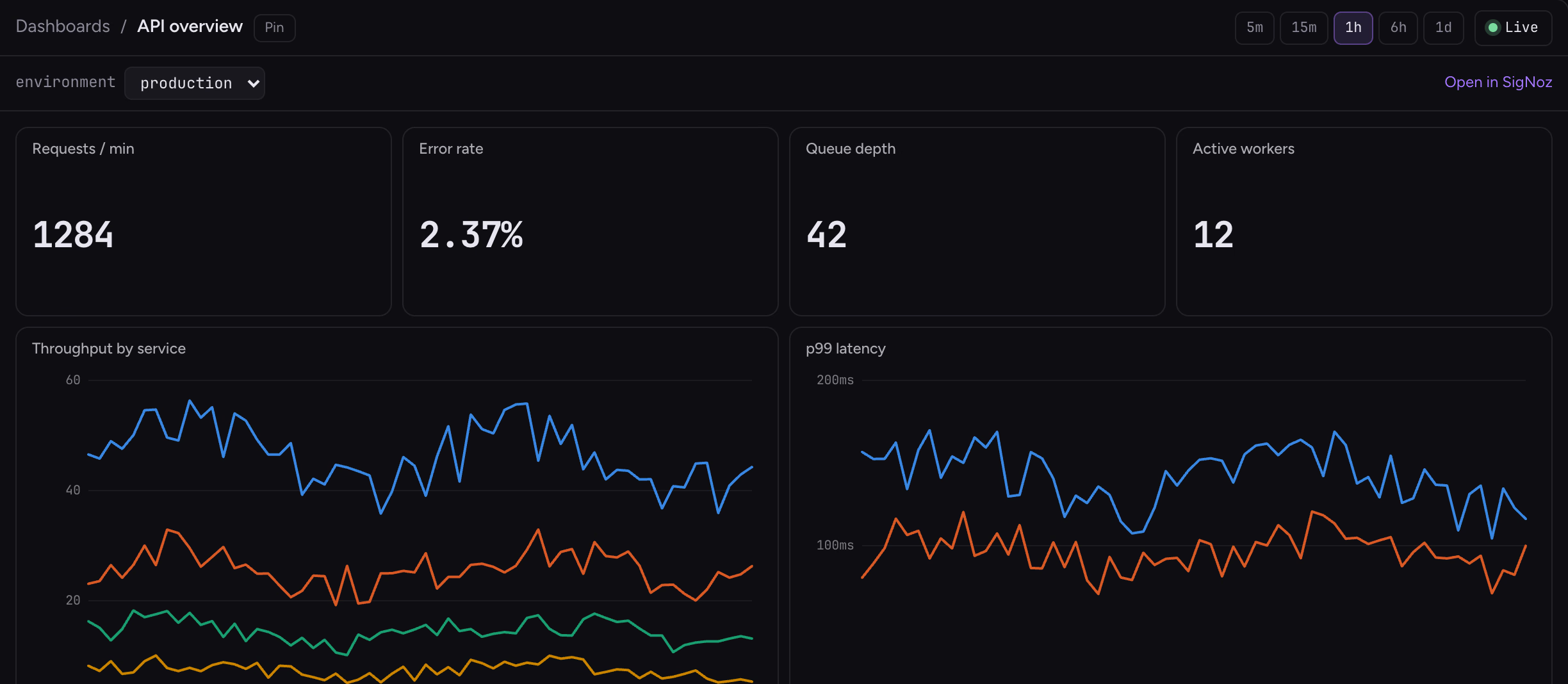
SigNoz

See what production is doing right now.

  • Service health and error rates
  • Logs, traces and your dashboards
  • Agents can search it for you
A SigNoz dashboard with request rate, error rate, throughput and p99 latency
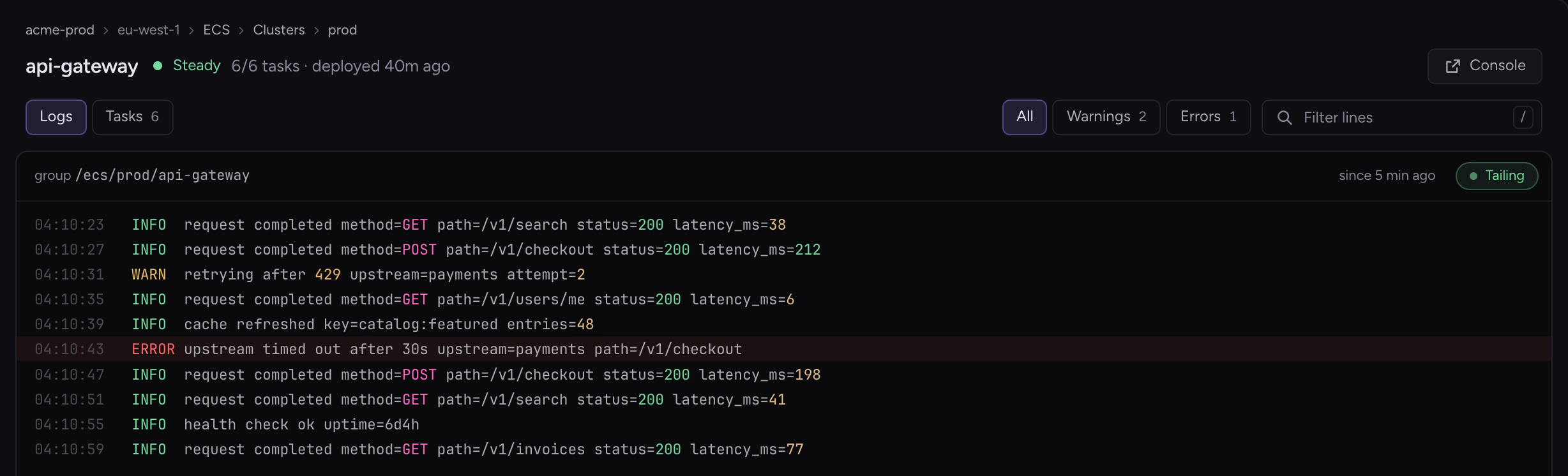
AWS

Follow a service's logs without the AWS console.

  • Live logs for your services
  • What you spend, by month and by service
  • Signs in with your company login
CloudWatch logs streaming for an ECS service, with a warning and an error highlighted
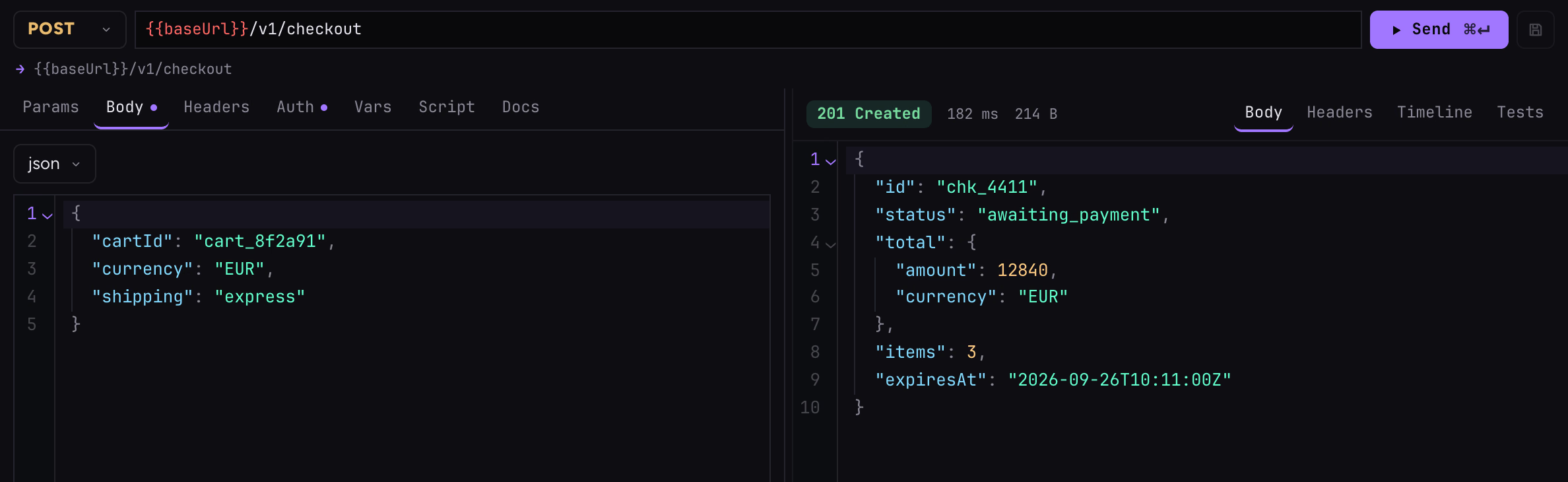
Bruno

Send requests from the collection in your repo.

  • Uses the collection saved in your repo
  • Switch between environments
  • Scripts that run before and after a request
A Bruno POST request and its 201 Created JSON response

Bring your own agents

Use the AI plan you already pay for.

Sikemux doesn't sell AI. It runs the coding agents you already have installed, signed in with your own account, so your Claude or ChatGPT plan is the one doing the work.

  • No extra AI subscription
  • Your own account and limits
  • Use different agents on the same project
  • Claude Code
  • Codex
  • Hermes
  • OpenCode
  • Grok
  • Pi
  • OMP

Phone app · in development

Close the laptop. Your agents keep going.

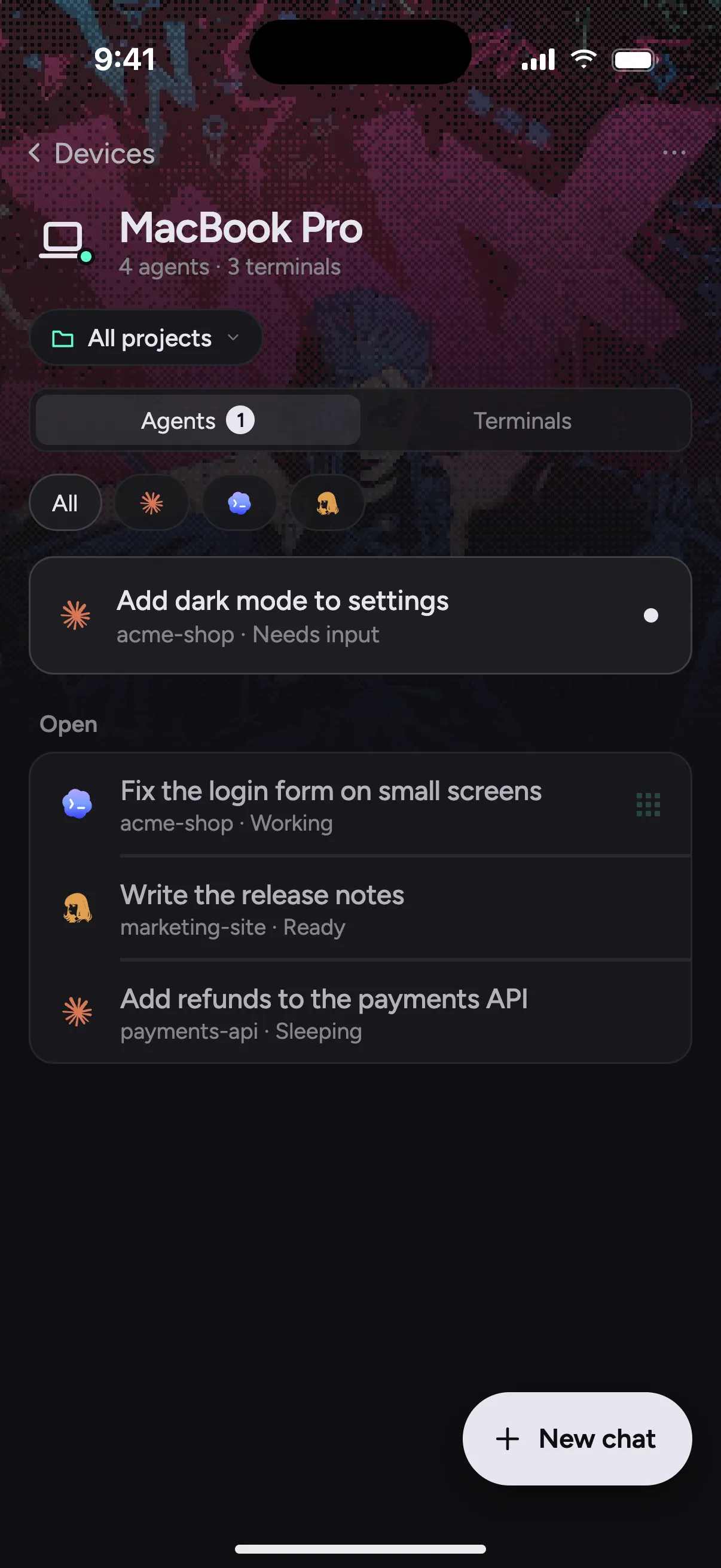
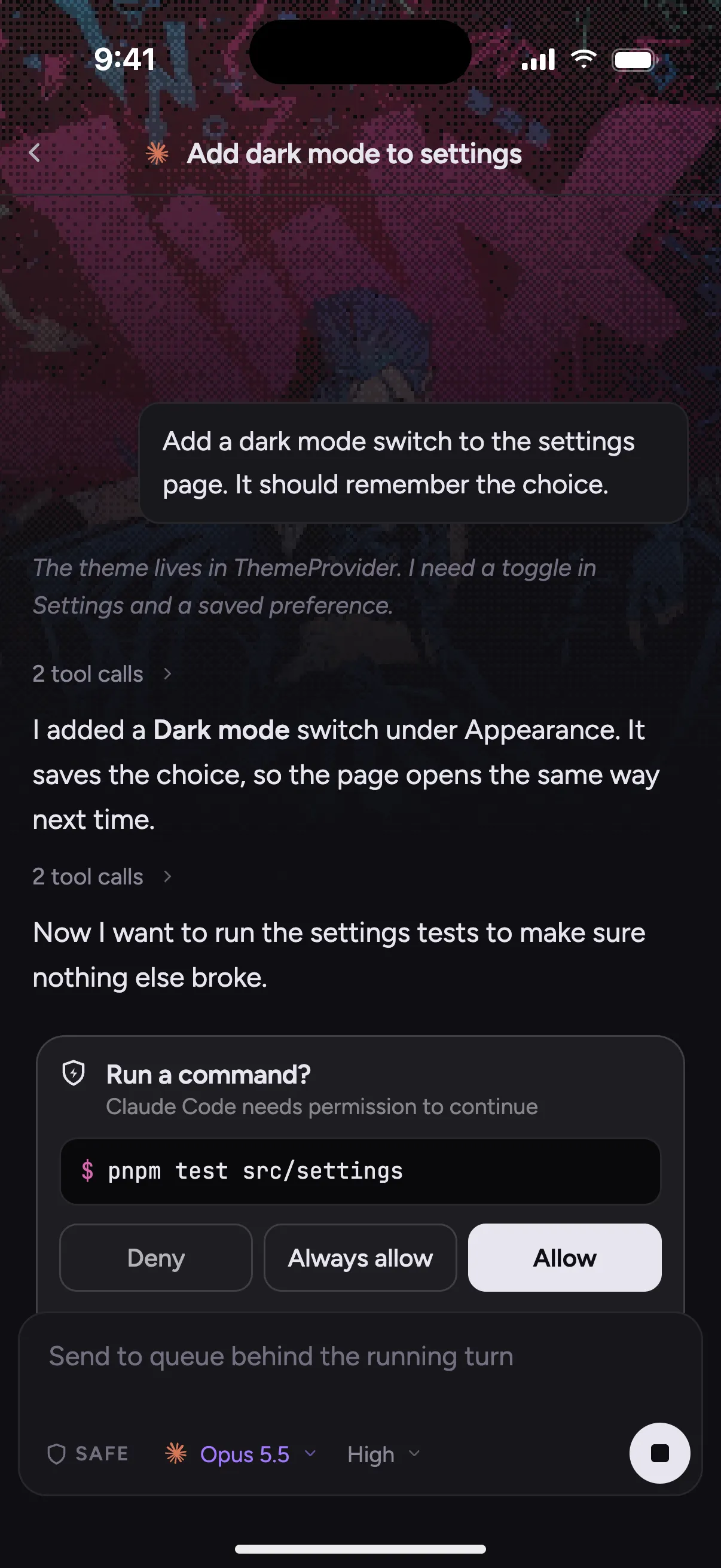
Agents and terminals already keep running in the background when the Sikemux window is closed. We're building a phone app so you can check on them from wherever you are.

  • Pair your phone by scanning a code on your Mac
  • See what every agent is doing, and answer the one that needs you
  • Start a new chat in any project, from anywhere

It isn't on the App Store or Google Play yet. Join the Discord to hear when it's ready.

A preview of the phone app in development, listing a Mac's agents
A preview of the phone app in development, with an agent asking permission to run the tests

And more

The small things add up.

  • A browser for each agent

    Your agent can open your app, click through it and take screenshots, like a tester would. Take over the tab at any time.

  • One agent per branch

    Give a chat its own copy of the repo so agents don't trip over each other. It cleans up once its pull request is merged.

  • Send anything to an agent

    Pass it an error from the terminal, a line from the logs, a code problem or a pull request comment in one click.

  • Agents can use the app too

    An agent can start your dev server, read its output and open the file it changed for you to look at.

  • Usage at a glance

    See how much of your Claude or Codex limit is left, and switch accounts in a click.

  • Spaces for your projects

    Group projects by team or client, and switch between them without the clutter.

  • Ports you can see

    A chip shows which ports your app is listening on, so you always know where it's running.

  • Fast from the keyboard

    ⌘N starts an agent, ⌘T opens a terminal, and every view and action has its own shortcut.

  • No account needed

    Download it and start. Your code only goes to the agent you chose, never to us.

Size

11.0 MB to download.

Sikemux uses the web engine already built into macOS instead of shipping its own, so the whole IDE downloads smaller than Ghostty, which is only a terminal.

Apple Silicon installers from each project's own download link, checked 27 September 2026. Sikemux's row follows the latest release.

  1. Sikemux11.0 MB
  2. Ghostty33.8 MB
  3. Zed122.6 MB
  4. Cursor291.8 MB
  5. Warp334.8 MB
  6. Superset453.1 MB

Is it for you

Is Sikemux right for you?

Sikemux is built around one way of working: one window per project, with your agents in it. Here's who it suits, and what to use instead if it doesn't.

Use Sikemux if

  • You use Claude Code, Codex or another coding agent, and want to see what it's doing.
  • You keep an editor, terminals, Git and a browser open side by side all day.
  • You check logs and deploys as part of your work.

Skip it if

  • You want an editor with its own hosted agent. Cursor does that well.
  • You want a terminal and nothing else. Use Ghostty.
  • You're on Windows, Linux or an Intel Mac. There's no download for those yet.

Before you download.

What is Sikemux, in one sentence?

A Mac app where you work on a project together with AI coding agents: they write and test the code, and you watch, review and ship, without juggling an editor, terminals, Git and a browser in separate apps.

What is a coding agent?

An AI tool, like Claude Code or Codex, that reads your project, edits files and runs commands to finish a task you describe in plain words. Sikemux doesn't include one; it runs the ones you already use.

Is this Electron?

No. Sikemux is built with Tauri and Rust and uses the web engine macOS already has, which is why it's small and quick to start.

How is this different from Superset, Conductor or cmux?

Those are built around the agents. Superset and Conductor run a crowd of agents in parallel, on your Mac or in the cloud, and cmux is a terminal made for juggling many sessions. Sikemux is built around the project: agents share one window with the editor, Git, a real browser and your AWS, Rundeck, SigNoz and Bruno views, all on the same folder. It's also a 10 MB download.

Why not Zed and a terminal?

If you mostly write code by hand, Zed is the better editor. Sikemux assumes the agents do most of the typing: it runs several of them on one repo, each with its own browser tab, and keeps the editor, Git and your deploy tools a key away.

Which agents does it work with?

Claude Code, Codex, Hermes, Pi, OpenCode, OMP and Grok. Install one the usual way and sign in, and Sikemux finds it and starts it with your own login.

Does Sikemux send my code to a model?

No. Sikemux has no AI of its own. Your code only goes to the agent you choose, through that agent's own account. Some agents can also use an API key you add in Settings, but you never need one.

macOS says it can't check the app for malware.

Builds aren't notarized by Apple yet. Drag Sikemux into Applications, then run this once:

xattr -dr com.apple.quarantine /Applications/Sikemux.app

After that, updates install from inside the app.

Intel Macs, Windows, Linux?

Downloads are for Apple Silicon Macs on macOS 11 or later. Linux builds are coming soon. Windows and Intel Macs can build it from source, but there's no download for them yet.

What does it cost?

Nothing, at home or at work. The source is on GitHub under the FSL license, which lets you use and change it but not sell a copy.

Open a project.
Keep it open.

11.0 MB · Apple Silicon, macOS 11+ · FSL · How it stays small

Or build it yourself

$ git clone https://github.com/nodelike/sikemux
$ cd sikemux && pnpm install
$ make dev

Needs Rust, Node 22 and pnpm. Contributing guide